How Samsung Health monitors your heart rate
Important Note: The information on this page is for Hong Kong products only. Models, sequences or settings will vary depending on location and/or where the product had been purchased. To be redirected to your local support page please click here.
Samsung Health helps you stay fit and tracks your movements and habits to ensure you have accurate, up to date health information whenever you need it. One way the app lets you keep up with your health is the heart rate monitoring function.
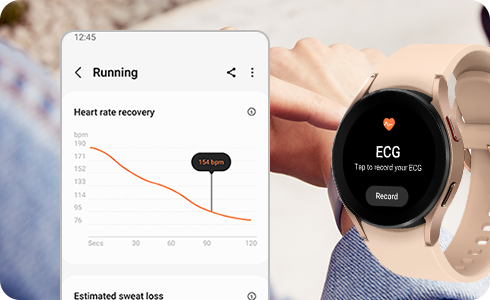
Samsung Health measures your heart rate through the heart rate sensor of the Galaxy Watch. You can measure your heart rate in three different ways:
Please note: The heart rate monitoring function is provided for health management purposes only, not for diagnosis or treatment of diseases.
- Measure continuously or Always
The Galaxy Watch automatically records your heart rate during workouts. You can check your heart rate through exercise results.
- Every 10 minutes while still or Frequent
Measures your heart rate every 10 minutes when you are still.
- Manual measurement only or Never
You can measure your heart rate manually.
Please note: You can set notifications in your Galaxy Watch and you can check the Samsung Health notification history on your phone.
If the above information does not match what your product is showing, you may check the User Manual for your product. If you are unable to solve the problem, please contact us for further assistance.
Thank you for your feedback!
Please answer all questions.
RC01_Static Content : This text is only displayed on the editor page