How to use Touch protection in the Game Booster app
Important Note: The information on this page is for Hong Kong products only. Models, sequences or settings will vary depending on location and/or where the product had been purchased. To be redirected to your local support page please click here.
Touch protection is a useful function when you want to keep the game running by preventing screen touch during the game. Messages from the notification panel and navigation bar are also prevented.
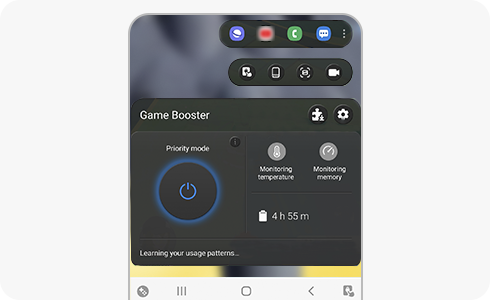
How to activate Touch protection

Step 1. Click on the Touch protection button on the game booster main screen.


Step 2. Touch the screen and drag the lock icon to unlock.
How to adjust the brightness


Step 1. Touch the screen and tap the “Brightness Level” button.


Step 2. This adjusts the brightness level.
Touch protection timeout
If Touch protection timeout is set, Touch protection starts automatically.


Step 1. Touch the screen and click on “Screen timeout”.


Step 2. Adjusts the screen time.
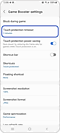

Step 3. You can also adjust on the Game Booster settings by tapping on the “Touch Protection timeout”.
The screen is stuttering
After engaging “Touch protection power saving” in the “Game Booster settings” screen, it will reduce the frame speed of the game to save on your battery usage.
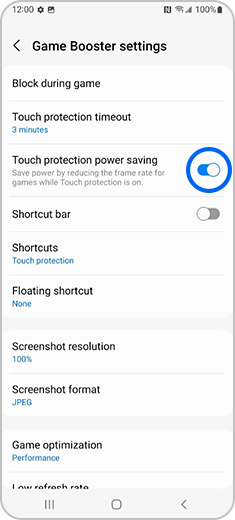
Please note: If the screen timeout of the device settings is shorter than the touch protection timeout of the Game Booster, the screen may be turned off before the touch protection begins operating. Please check Settings > Display > Screen time out of the device.
If the above information does not match what your product is showing, you may check the User Manual for your product. If you are unable to solve the problem, please contact us for further assistance.
Thank you for your feedback!
Please answer all questions.
RC01_Static Content : This text is only displayed on the editor page