What Parental controls are available in Samsung Kids?
Important Note: The information on this page is for Hong Kong products only. Models, sequences or settings will vary depending on location and/or where the product had been purchased. To be redirected to your local support page please click here.
Educating children about their new digital environments is fundamental in today's societies. For this reason, Samsung Kids has put in place some options for parents to control their children's activities within the app.
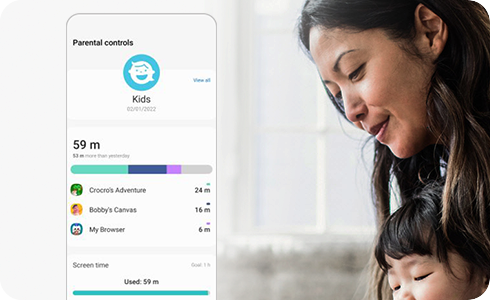
Samsung Kids sets limits on playtime, as well as provides access to specific contacts and apps. You can keep up with the usage reports to see what your child is doing, or to make sure they’re only seeing what’s appropriate.
To access all these options, please follow these steps:
These are the different features that you can monitor:
- Activity: You can check your child’s usage time by day and app.
- Set screen time goal: You can set the daily playtime limit for each day of the week.
- Allowed content: You can limit and manage content shown to your child through four different methods: Apps, Contact, Media and Music.
If the above information does not match what your product is showing, you may check the User Manual for your product. If you are unable to solve the problem, please contact us for further assistance.
Thank you for your feedback!
Please answer all questions.
RC01_Static Content : This text is only displayed on the editor page